

What Does the Scoreboard Show?
Get ready to inspire some friendly competition! The Class Scoreboard is your go-to tool for tracking student performance and activity.
What Students See
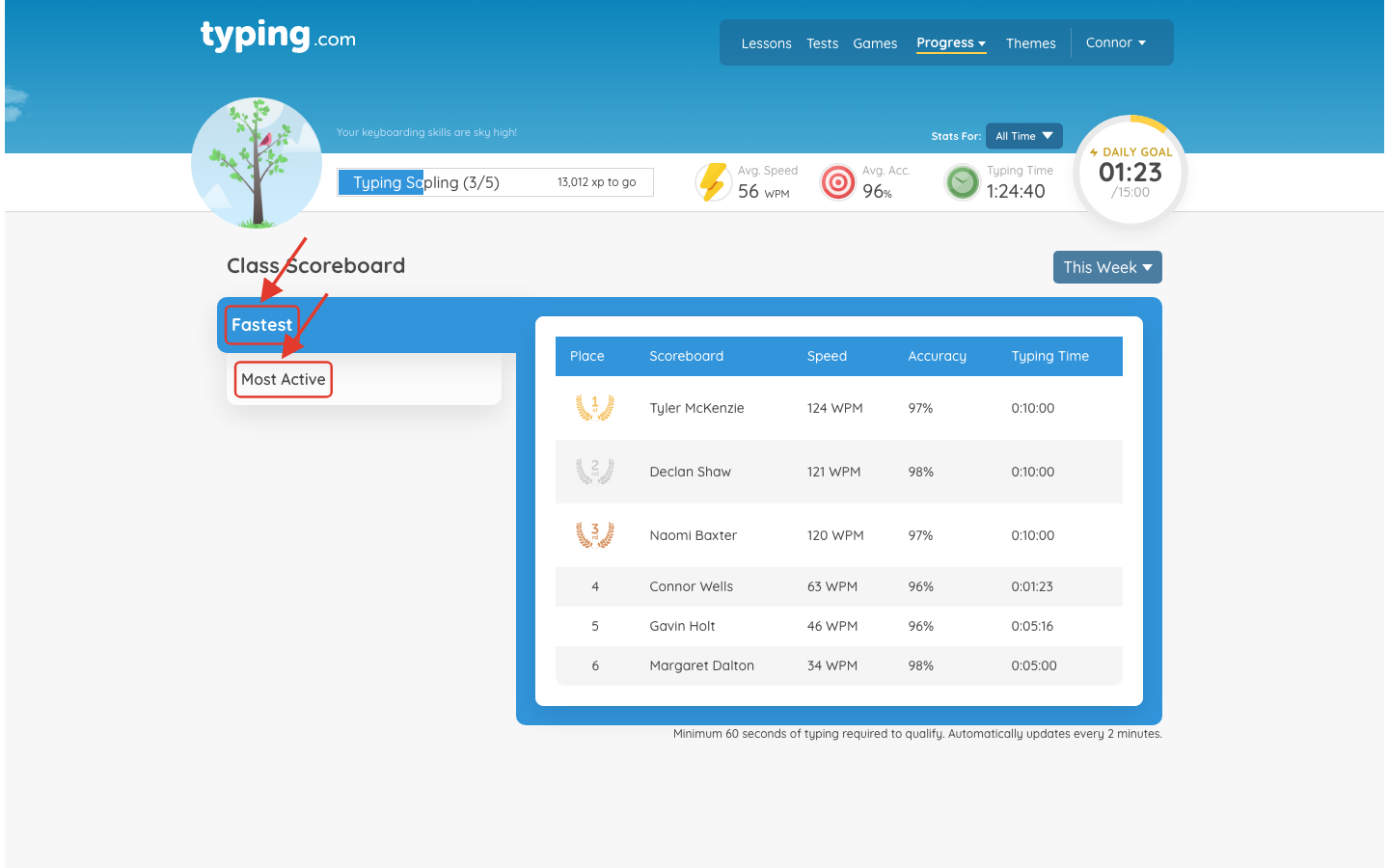
A Class Scoreboard link sits on the class line above their lesson list. It ranks the class two ways - Fastest and Most Active - with each place showing speed, accuracy and typing time.

It opens on This Week; the dropdown at the top right switches it to Last Week. Weeks reset on Sunday.
A student needs at least 60 seconds of typing to appear, and the board refreshes every couple of minutes.
What Teachers See
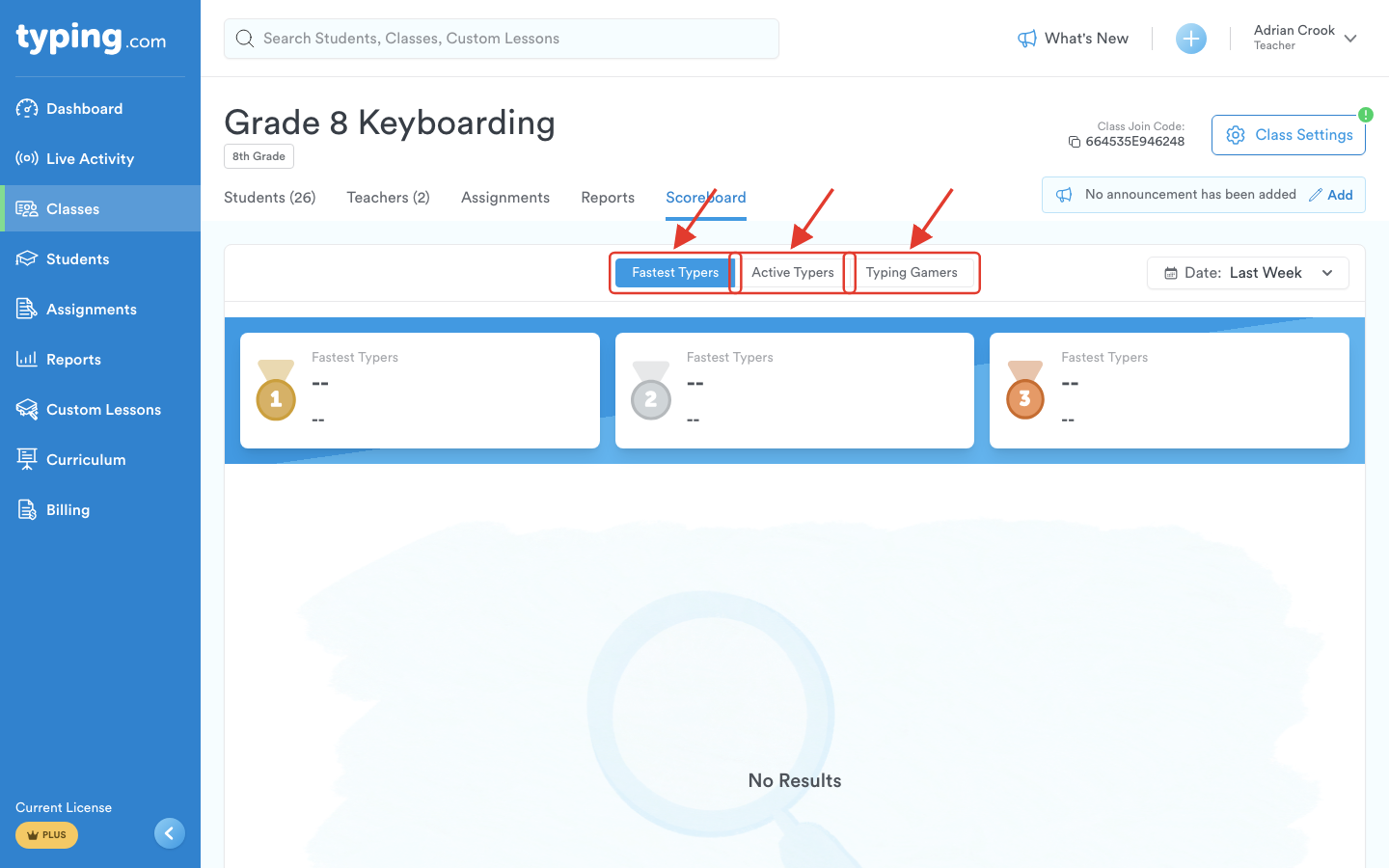
Your class has its own Scoreboard tab, alongside Students and Assignments. It shows three boards - Fastest Typers, Active Typers and Typing Gamers - and a Date filter that switches between This Week and Last Week.
There is also a Class Scoreboard report on the Reports page, which opens as soon as you pick it.
Prefer your students not to see it? Untick Enable Class Scoreboard in Class Settings → Advanced Options. That hides it from them; your own Scoreboard tab is unaffected. Disable the Scoreboard has the detail.